
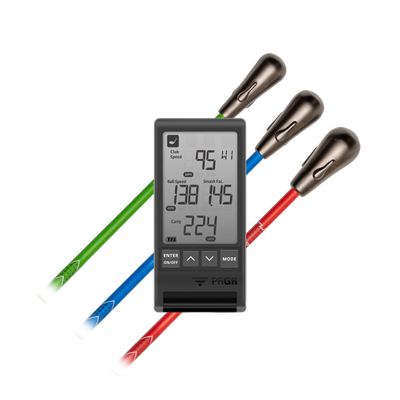


One of the most common questions we hear from golfers is:
"How do I know if my speed training is actually transferring to the course?"
The answer is simple:
Measure it.
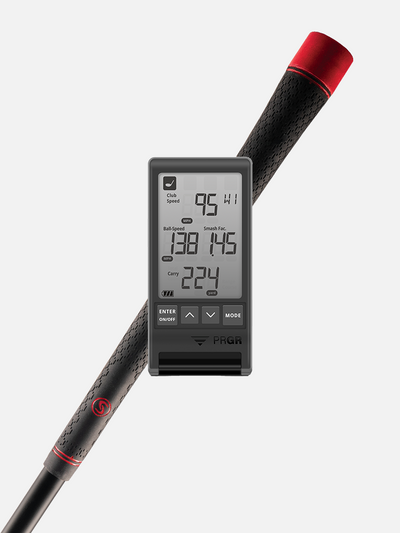
While most golfers think of launch monitors as practice tools, the PRGR Launch Monitor is small enough to become one of the best on-course training aids you can own.
Why Measure On-Course Speed?
Many golfers develop plenty of speed during SuperSpeed training sessions or while hitting balls on the driving range.
But once they step onto the first tee, something changes.
The swing gets a little more careful.
The intensity drops.
Instead of making the athletic swing they've trained, they guide the ball down the fairway.
The result?
They're often swinging several miles per hour slower than they realize.
A Quick On-Course Assessment
Using the PRGR on the course only takes a few seconds.
Simply:
- Tee up your ball.
- Find your target line.
- Place the PRGR about one driver length behind the golf ball, aligned with your intended target.
- Hit your drive.
- Record your club speed and ball speed.
You don't have to do this on every hole. Even measuring a few drives each round can give you valuable feedback.
Compare Practice Speed vs. Playing Speed
The goal is simple:
Your on-course speed should closely match your practice speed.
For example:
Driving Range
Club Speed: 110 mph
Golf Course
Club Speed: 109 mph
That's excellent. Your speed is transferring exactly as it should.
Now compare that to:
Driving Range
Club Speed: 110 mph
Golf Course
Club Speed: 102 mph
An eight-mile-per-hour drop represents a significant loss of potential distance.
In many cases, the golfer has already developed the physical ability to swing faster, they're simply not accessing that speed when they play.
Build Trust in Your Faster Swing
One of the biggest goals of SuperSpeed training is helping golfers trust the athletic swing they've developed.
Using the PRGR during rounds helps bridge the gap between practice and performance.
You'll quickly learn whether you're:
- Swinging with enough intent
- Maintaining your speed under pressure
- Producing the ball speeds you're capable of
Instead of guessing, you'll have objective feedback every time you tee it up.
Track Your Progress All Season
Another great feature of the PRGR is its shot history.
Throughout the season, you can review:
- Club speed trends
- Ball speed improvements
- On-course consistency
Watching those numbers improve over time builds confidence and provides proof that your training is paying off.
You Are Much Slower On the Course Than On the Range: Now What?
One of the biggest advantages of the SuperSpeed app is that it doesn't just identify the problem, it helps you solve it.
If you discover a significant gap between your driving range speeds and your on-course speeds, the app can prescribe Ball Speed Activation Protocols specifically designed to help transfer your speed to the golf course.
These sessions combine overspeed training with hitting actual golf balls, teaching your brain and body to produce maximum speed while maintaining center-face contact and shot control.
By gradually blending speed training into real golf swings, you'll build the confidence to swing faster when it matters most, helping close the gap between practice and performance so your distance gains show up on the scorecard, not just on the range.
Speed That Matters
At the end of the day, speed training isn't about producing bigger numbers in your garage or on the driving range.
It's about hitting longer drives during your rounds.
The PRGR Launch Monitor makes it easy to verify that your SuperSpeed gains are showing up where they matter most: on the golf course.
Because the fastest swing is only valuable if you can use it when the scorecard counts.
Is Your Speed Transferring to the Course?
Want to know if your speed is transferring to the course? Add a PRGR Launch Monitor to your bag and start measuring every drive that matters.